> ## Documentation Index
> Fetch the complete documentation index at: https://docs.resolve.ai/llms.txt
> Use this file to discover all available pages before exploring further.
# Connect an Integration
**Guided Tour · Part 2 of 5**
[Resolve Overview](/resolve-overview) → Connect an Integration → [Team Knowledge](/D5xH-team-knowledge) → [Auto Investigations](/auto-investigations) → [Tuning Accuracy](/tuning-accuracy)
This guide walks you through connecting ResolveAI to your production systems. By the end, you'll be investigating your real infrastructure, logs, metrics, and code.
## Prerequisites
Before you begin, ensure you have:
* A ResolveAI account ([Sign up here](http://app0.resolve.ai))
* Access credentials for your primary tools (Grafana, Datadog, AWS, etc.)
* Permissions to create API tokens or service accounts
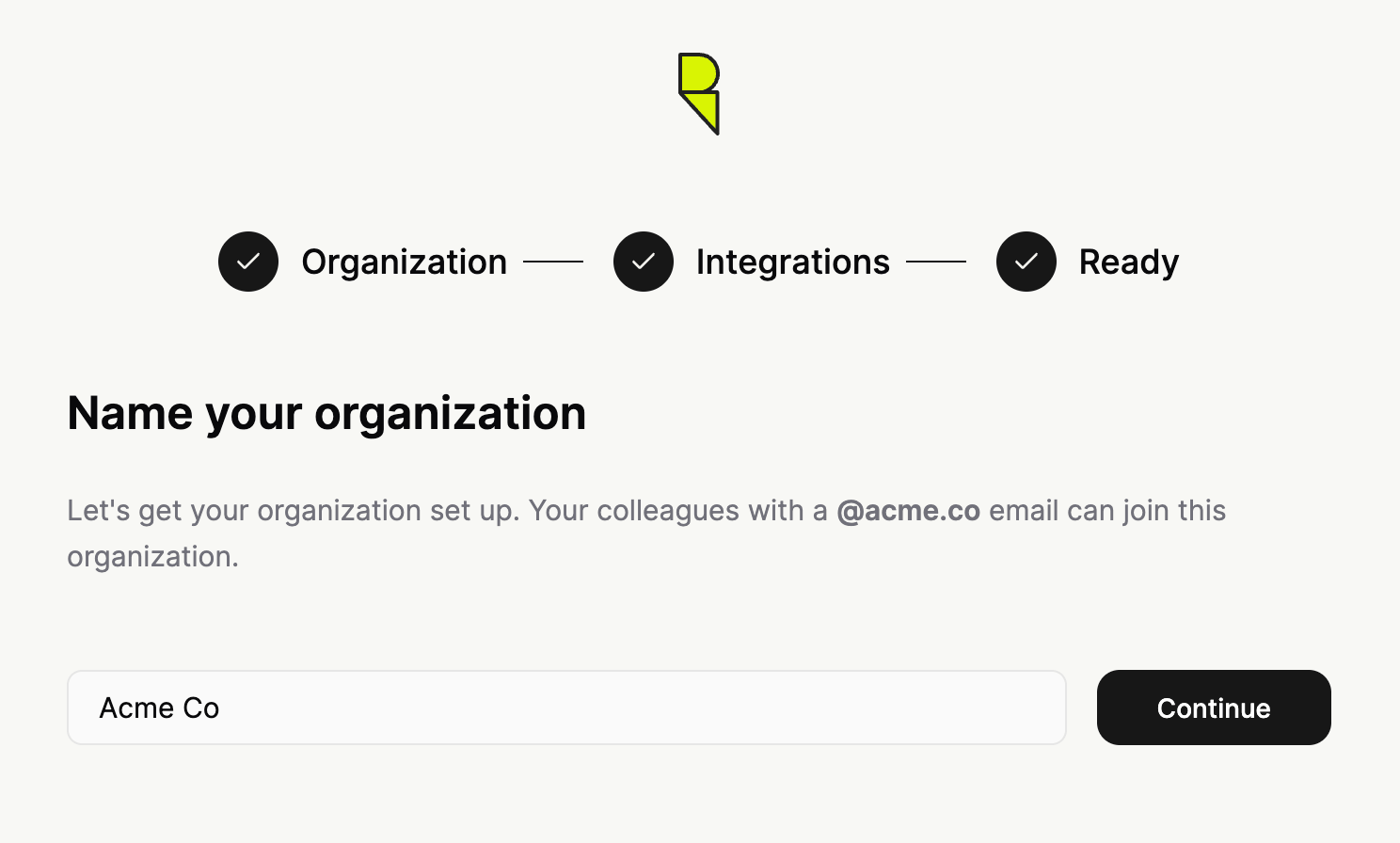
## Step 1: Name Your Organization
After logging in and selecting **Set up ResolveAI for your environment**, you'll name your organization.
Colleagues with the same email domain can automatically join this organization once it's created.
## Step 2: Connect integrations
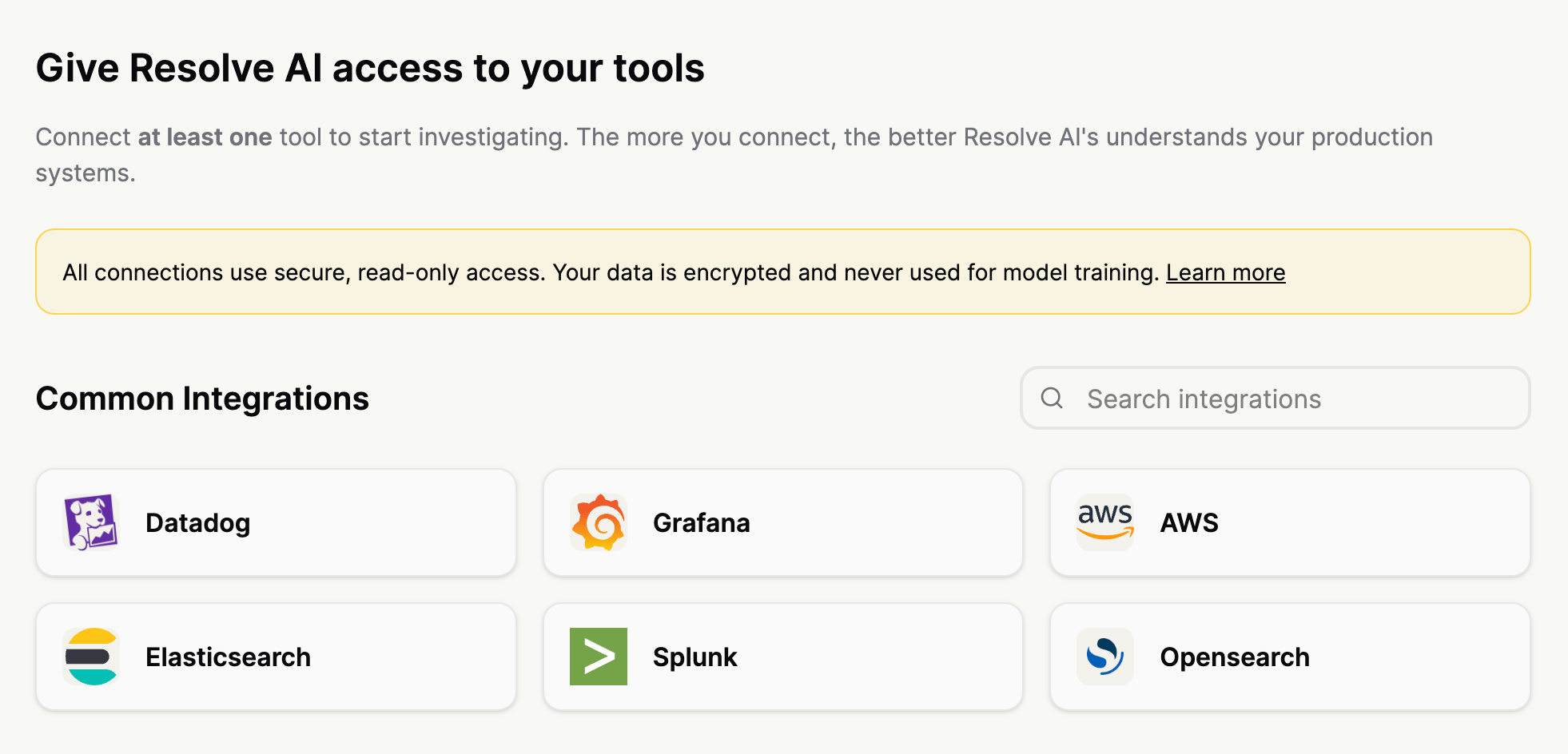
Give Resolve access to your stack. The more data sources you connect, the more powerful Resolve investigations and cross-stack correlations become.
We recommend starting with these types of integrations:
1. Observability: Logs, metrics, dashboards, traces, alerts
2. Code: Git integration
3. Infrastructure: AWS, GCP, Kubernetes
4. Knowledge: Confluence, Notion
5. Chat: Slack, MS Teams
## Step 3: Configure Your Integration
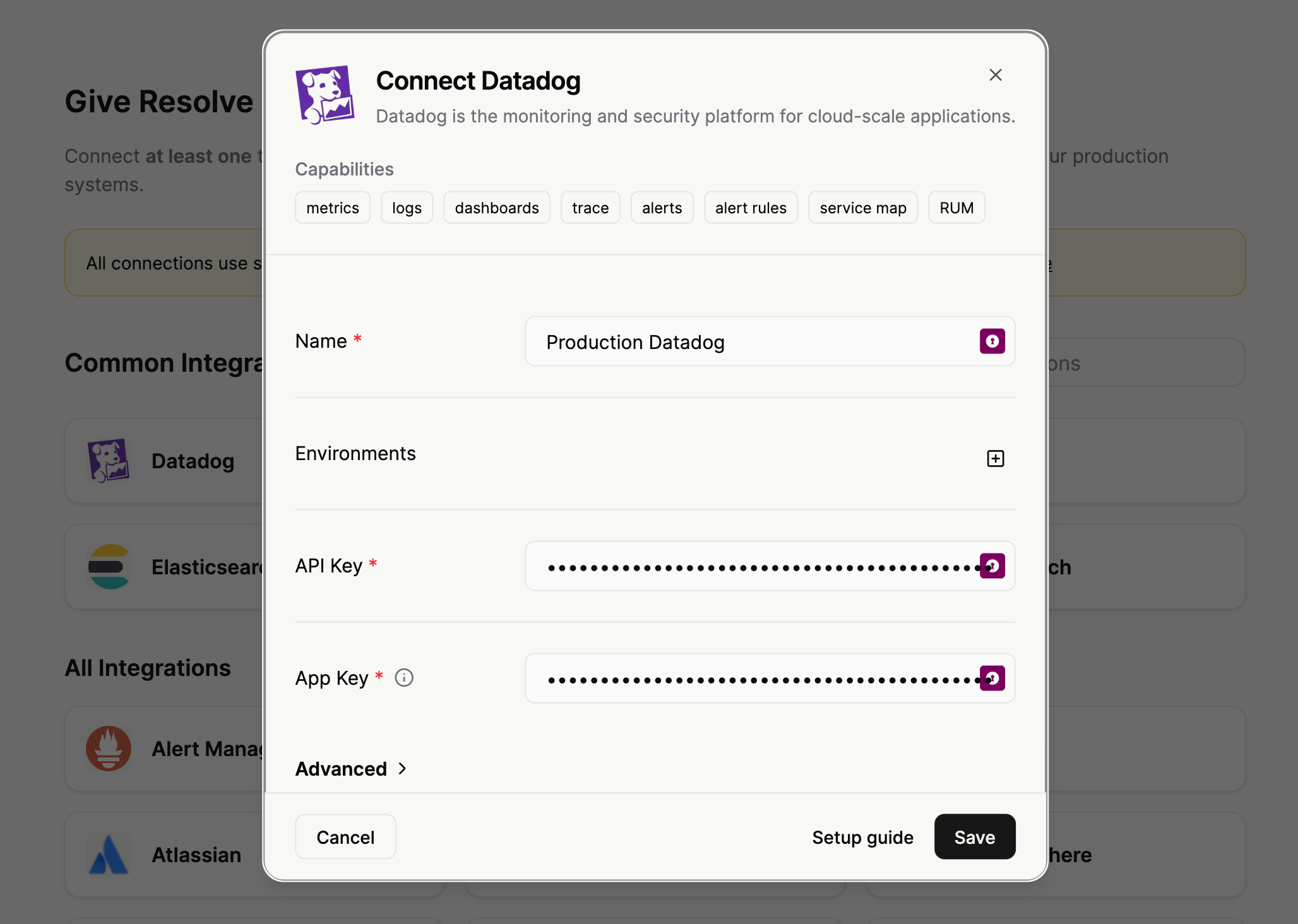
Each integration follows a simple, guided flow. Let's look at Grafana as an example:
1. **Name**: (e.g., `prod-grafana`) — Helps distinguish between multiple instances.
2. **Connection Details**: Enter your instance URL and relevant credentials (API token or OAuth).
**Need deep technical details?** Check our [Integration Reference](/setup-and-integrations) for step-by-step permissions and troubleshooting for every tool.
## Step 4: Start Investigating
Once your integrations show a green checkmark, you're ready. Click **Ask your first question** to enter the main interface with your live data.
### Recommended First Steps
Try these prompts to see ResolveAI in action with your systems:
* `“What integrations are configured?”`
* `“Show me the most important services and their dependencies”`
* `“What were the most recent deployments?”`
## Pro Tips for Success
**Combine for Context:** Connect at least two integrations (e.g., Code + Telemetry) to unlock the strongest insights, such as linking performance spikes directly to recent commits.
* **Descriptive Naming:** Clear names help when you're managing multiple clusters or cloud accounts.
* **Incremental Setup:** You don't need everything at once. Start with your primary logging and monitoring tools, then expand.
***
## Troubleshooting & Support
* **Connection Failures:** Double-check API permissions and URL accessibility.
* **Missing Tools:** Scroll through the full list or reach out to us if you need a custom integration.
***
## What's next
With your data flowing in, the next step is teaching Resolve about *your* systems so investigations get faster and more accurate.
**Next:** [Part 3 — Team Knowledge](/D5xH-team-knowledge)
**Previous:** [Part 1 — Resolve Overview](/resolve-overview)