> ## Documentation Index
> Fetch the complete documentation index at: https://docs.resolve.ai/llms.txt
> Use this file to discover all available pages before exploring further.
# New Relic
The New Relic integration can be configured via New Relic's and Resolve's UIs.
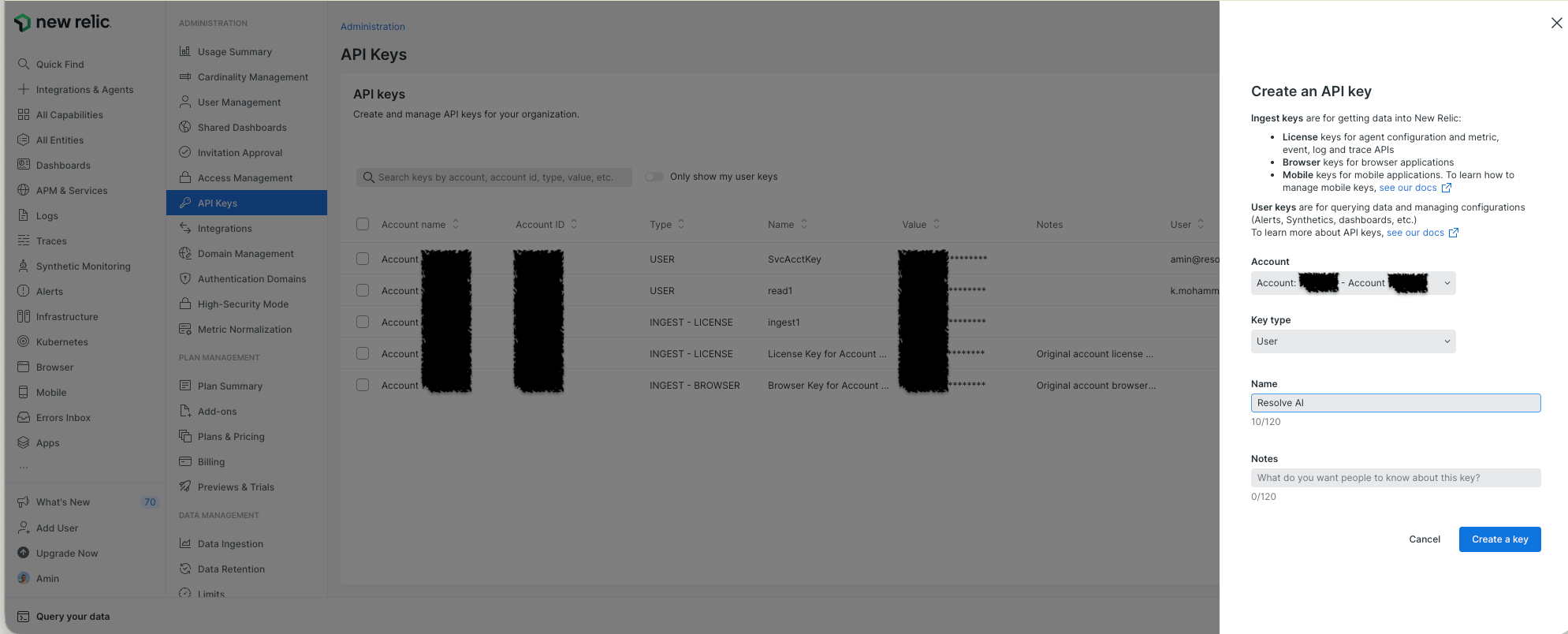
## In New Relic, Create an API Key
1. Log in to your New Relic account [https://login.newrelic.com](https://login.newrelic.com)
2. Open the API Keys page [https://one.newrelic.com/admin-portal/api-keys/home](https://one.newrelic.com/admin-portal/api-keys/home)
3. Click **Create a Key**
4. Pick the right **Account**
5. Set the **Key type** to `User`
6. Name the key, ex `ResolveAI`
7. Copy the key to use later
[login-return-to-api-keys]: https://login.newrelic.com/?return_to=https%3A%2F%2Fone.newrelic.com%2Fadmin-portal%2Fapi-keys%2Fhome
[api-keys]: https://one.newrelic.com/admin-portal/api-keys/home
## In ResolveAI, Connect New Relic
In ResolveAI, open the New Relic integration page [https://app0.resolve.ai/integrations/newRelic/connect](https://app0.resolve.ai/integrations/newRelic/connect)
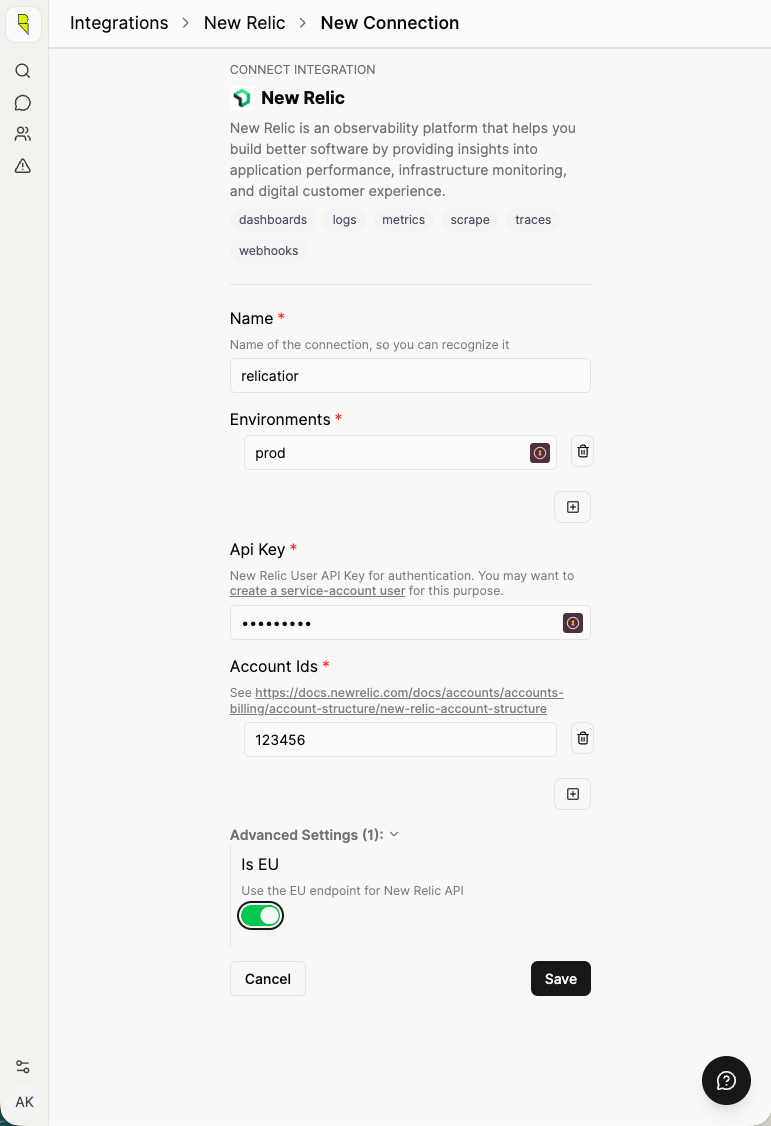
Click **Add Connection** and fill in the fields:
* **Name:** Use this to identify the integration, for example `Production New Relic`
* **API Key:** Paste in the New Relic API Key from the previous step
* **Environment:** The environment for which this integration collects data, ex `production`
* **Account ID:** The New Relic Account ID(s) you specified for the API Key
* **\[Advanced] Is EU:** If your New Relic account [uses EU data centers](https://docs.newrelic.com/docs/accounts/accounts-billing/account-setup/choose-your-data-center/),
enable "Advanced Settings -> Is EU".
## Send alerts to ResolveAI via webhook
Connect to New Relic alerts via webhooks:
1. In ResolveAI, open your New Relic integration [https://app0.resolve.ai/integrations/newRelic/connect](https://app0.resolve.ai/integrations/newRelic/connect)
2. Click **Edit**
3. Scroll down to **Webhooks**
4. Click **+** to add a new Webhook
5. Enter a **Name** for the Webhook and click **Save**
6. Follow the generated in-app instructions to connect to the New Relic webhook