

Teams
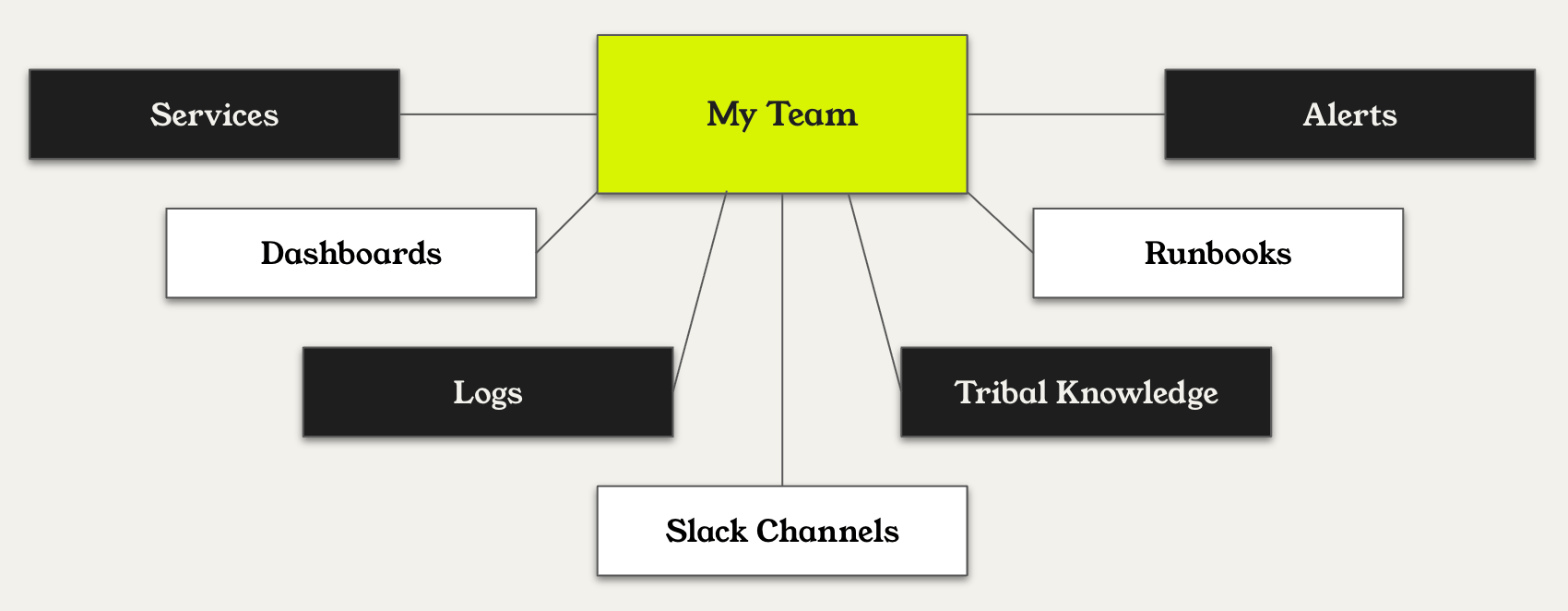
Start by creating a Team, which represents a logical group within your organization (ex. Infra, Payments). Teams have a few key sections:- Knowledge: Define best practices for querying observability tools and investigating incidents. This includes Resolve.md, runbooks, dashboard guidance, docs, and skills.
- Configuration: Settings to help Resolve understand when this team’s knowledge is relevant to pull in to an investigation.
- Alerts: Use the Alerts page to filter alerts, enable auto-investigation, and attach runbooks.
- Workplace Collaboration Tools: Connect Slack or MS Teams channels for alerts, change events, or general chat.
- Resources: Define ownership by selecting applications, services, or clusters managed by the team.
- Dashboards: Add dashboard guidance to help Resolve interpret and analyze observability data correctly.
- Members: Add people by hand, or link a group so that the team’s members stay in sync with it. See Team Membership.
Create Your First Team
- Open app0.resolve.ai
- Open the left sidebar and click Teams
- Click Create Team
- Enter a name, description, and click Create Team
- Set up knowledge, alerts, workplace collaboration tools, and dashboards
How Resolve Uses Knowledge
Knowledge is how you guide Resolve’s reasoning. Resolve uses a two-tier knowledge model — every knowledge type can exist at both the organization level and the team level:- Alert investigations: Resolve examines all knowledge associated with the alert and its owning team(s), pulling mapped runbooks and relevant team and org knowledge.
- Chats: Resolve pulls in skills and relevant knowledge sections quickly to keep conversations responsive.
- Skills: Activated dynamically when their
descriptionmatches the task, or invoked directly via slash commands. Available to alert investigations and chats. See Skills for the format and examples. - Alerts owned by multiple teams: Resolve fetches relevant knowledge from all owning teams.
- Priority: Resolve searches org and team knowledge together, surfacing the most relevant information for the investigation. Team-level guidance is prioritized when it’s a closer match.