

This guide covers Git on Satellite for Kubernetes deployments. For AWS ECS Fargate deployments, see Satellite on ECS.
Repositories are cloned and managed in your environment. Code stays in your infrastructure, except for investigation snippets that are sent when needed for analysis.
Overview
Git on Satellite lets ResolveAI:- Clone and sync multiple Git repositories
- Search repository files and directories
- Read file contents and git history
- Analyze commits, diffs, and blame data
- Propose code changes and open PRs when write tooling is enabled
When to Use It
Use Git on Satellite when:- Repositories are private to your network
- You need in-cluster data residency and control
- You need custom networking and cluster-level security controls
Prerequisites
- Resolve Satellite deployed in your Kubernetes cluster
- Repository hosts reachable from Satellite pods
- Kubernetes secret management available
- Helm available for Satellite updates
Available Tools
The Git integration provides:- Git network operations:
git clone,git fetch - Local read-only git operations: history, diffs, file inspection
- File system/text processing tools used during code analysis
- Write/remediation behavior when enabled
Code Remediation Behavior
Write/remediation tools are controlled by both Satellite version support and connection config.
Write/remediation availability is then gated by
connection.disableWrites:
disableWrites: true=> read-only modedisableWrites: false=> write/remediation tools allowed- If omitted:
- defaults to
falsewhen any auth config istype: "github"ortype: "ghe" - defaults to
truefor token-only auth
- defaults to
ResolveAI does not automatically push changes without user action. PR creation is an explicit user-invoked workflow.
Authentication Options
Option 1: GitHub Auth (Recommended for GitHub)
- Add a Git integration with GitHub auth config:
resolve-values.yaml
- Deploy/update Satellite:
-
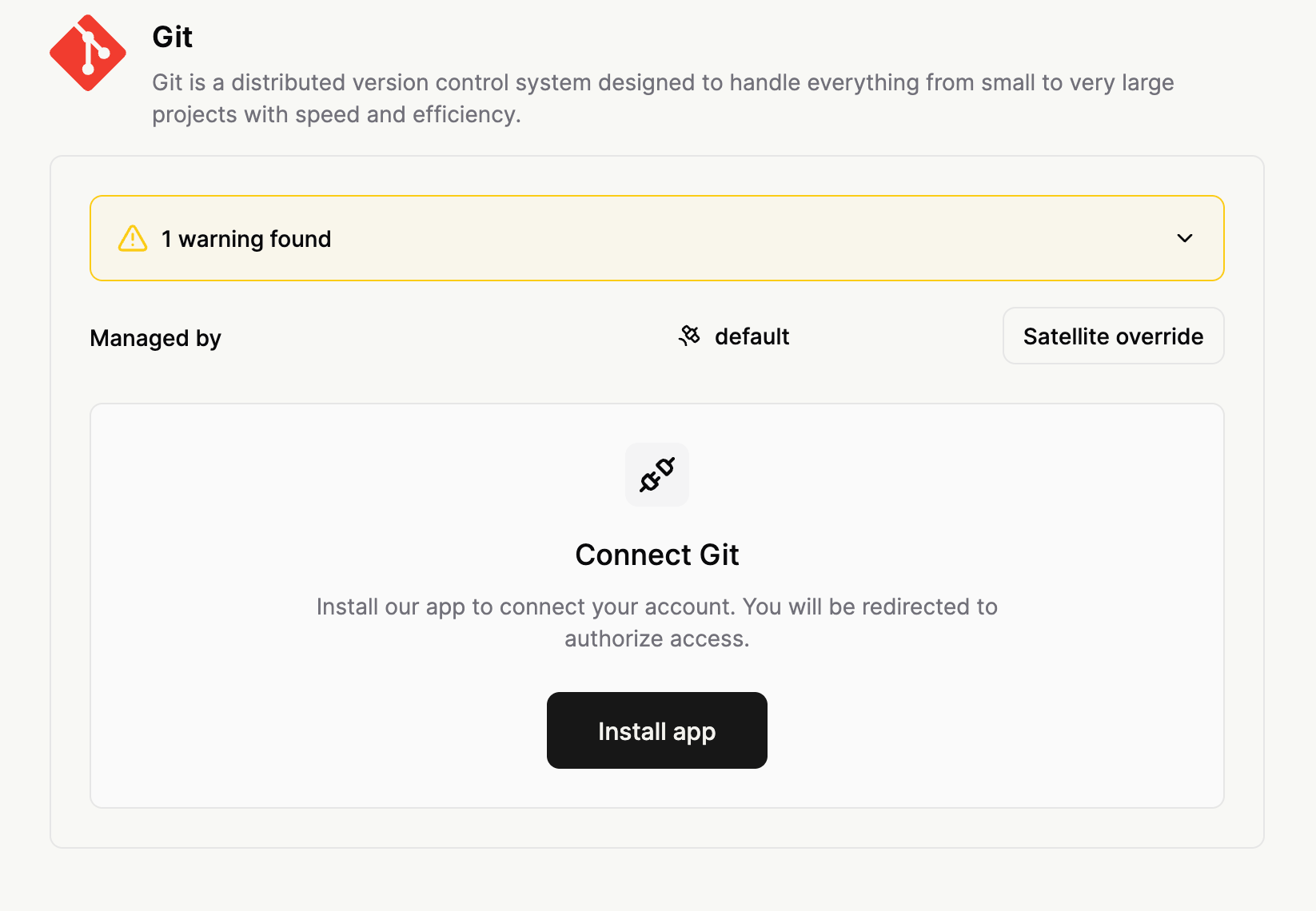
In Resolve UI, open your Git integration and click Install GitHub App.
-
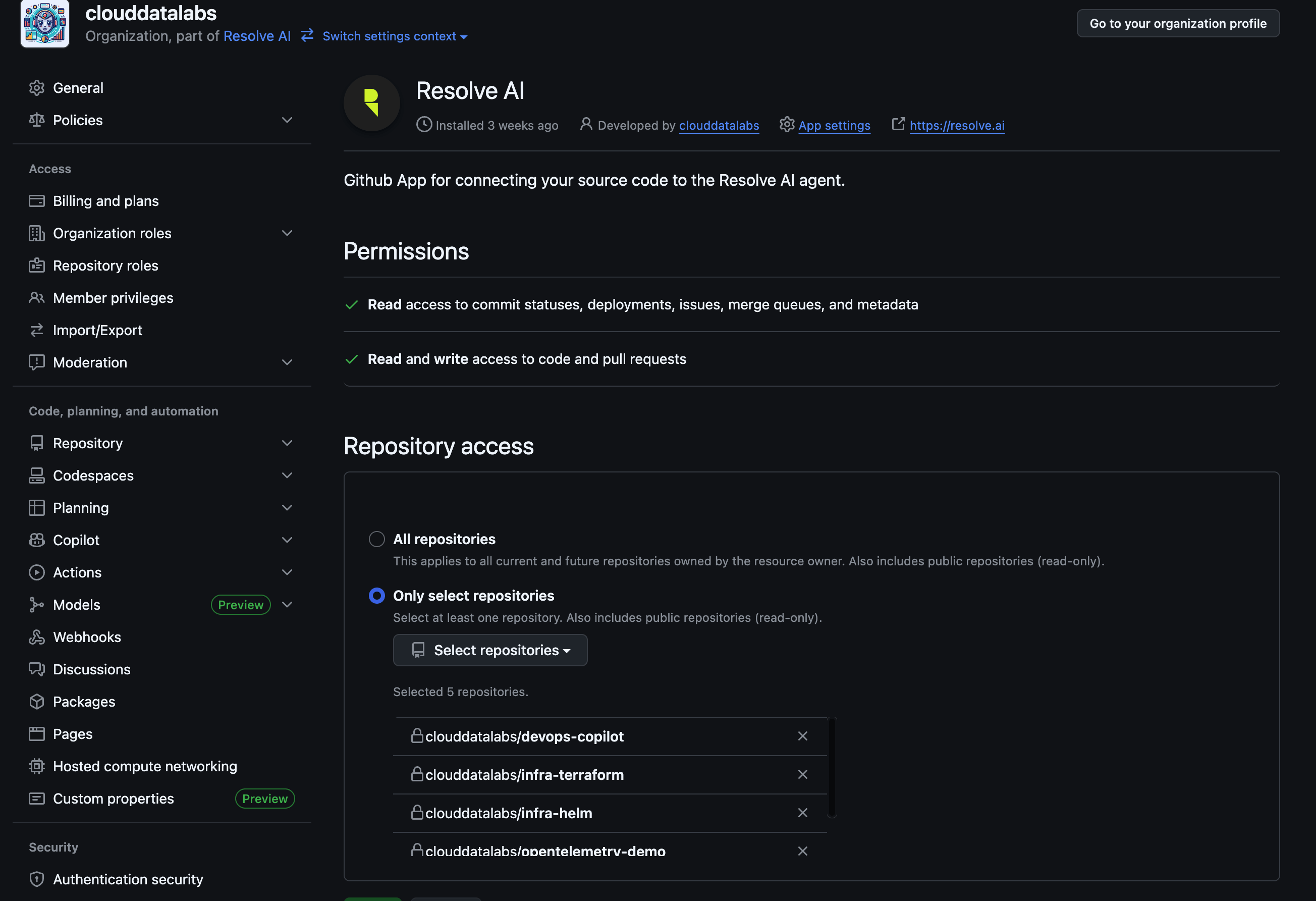
Complete GitHub authorization and choose repositories.
- Verify health check and repository listing.
Option 2: Bring Your Own GitHub App (GHE)
Use this option when you operate your own custom GitHub App. It works against any GitHub variant, github.com, GitHub Enterprise Cloud, or GitHub Enterprise Server (on-prem), including air-gapped GHE Server reachable only from inside your network. The end-to-end walkthrough, creating the GitHub App, recommended permissions, generating the private key, locating App ID / Installation ID / API base URL, and the Satellite YAML + secret shape, lives on App for GitHub → Bring Your Own GitHub App (open the Satellite tab under Step 7). The minimal Satellite values are:resolve-values.yaml
gheAuthCredentials.<authConfigName>.privateKey. For a self-signed GHE Server, also add trustedCertificateOverrides.<authConfigName>, see Custom SSL certificates.
Combining GHE with GitHub and token auth
A single Git integration can mixgithub, ghe, and token auth configs. Use this to cover, for example, github.com repos via the Resolve App plus an on-prem GHE instance plus a GitLab org over a PAT, all in one integration.
resolve-values.yaml
git-credentials.yaml
The
github auth type does not need a secret entry, its tokens are managed by GitHub App installation metadata refreshed by Resolve.Option 3: Token Auth
Token auth uses matching keys betweenconnection.authConfigs and credentials in your Kubernetes secret.
Step 1: Create access tokens
Create provider tokens first. See Creating Personal Access Tokens.Step 2: Create Kubernetes secret
- Single org auth
- Multi-org / multi-provider auth
git-credentials.yaml
Step 3: Configure integration
- Single org auth
- Multi-org / multi-provider auth
resolve-values.yaml
Step 4: Deploy
Key matching rule
connection.authConfigs.<name>must match the credential key exactly:tokenAuthCredentials.<name>fortype: tokengheAuthCredentials.<name>fortype: ghe
- If used,
trustedCertificateOverrides.<name>must use the same key.
How token auth mapping works
authConfigs.<name>.tokenAuthRemoteURLsdefines which repositories use that auth config.tokenAuthCredentials.<name>provides the username/token for those repositories.- Optional
trustedCertificateOverrides.<name>adds a per-auth custom cert for TLS verification.
How GHE auth mapping works
authConfigs.<name>.type: "ghe"declares a BYO-GitHub-App auth config.authConfigs.<name>.ghe.{baseUrl, appId, installationId}points the Satellite at the right GitHub instance and app installation. Repositories are discovered automatically from the installation, notokenAuthRemoteURLsneeded.gheAuthCredentials.<name>.privateKeyprovides the PEM private key for the app.- Optional
trustedCertificateOverrides.<name>adds a per-auth custom cert for self-signed GHE Server.
Storage Configuration
Satellite clones repositories intogitVolume.
Default (emptyDir)
- Ephemeral
- Default size:
10Gi - Full re-clone after pod restart
Recommended for production (PVC)
- Persistent across restarts
- Better for large repositories and faster restart recovery
Advanced Configuration
Custom SSL certificates
For self-hosted Git with private CA or self-signed certificates, settrustedCertificateOverrides using the auth config key.
git-credentials.yaml
gitSSLNoVerify (use carefully)
disableWrites
disabledSubcommands
git <subcommand> operations.
Schema Reference
Schema Reference
The connection schema supports inline credentials and certificate overrides.
For Satellite deployments, we recommend storing
For Satellite deployments, we recommend storing
tokenAuthCredentials, gheAuthCredentials, and trustedCertificateOverrides in a Kubernetes secret (secretName) instead of inline resolve-values.yaml.Repository URL Formats
Use HTTPS URLs only. Supported examples:Creating Personal Access Tokens
Token auth needs a provider PAT whose scopes match the access you want (read-only, or read plus write for remediation), and for GitLab a project/group role that matches (Reporter to read, Developer to open MRs). See Git overview → Creating access tokens for the exact scopes and roles for each provider. Create the token there, then store it undertokenAuthCredentials in your secret (see Step 2).
How It Works (Satellite Path)
How It Works (Satellite Path)
- Integrations Gateway resolves auth configs and prepares tool commands.
- GitHub auth repository lists come from GitHub installation metadata refresh (works for both
githubandgheauth,ghecalls the configuredbaseUrl). - Token auth credentials/certs are resolved from the secret-backed connection data.
- GHE auth credentials (private key) are resolved from
gheAuthCredentialsand used to mint short-lived installation tokens against the configuredbaseUrl. - Refresh uses
cloneOrFetchwith configured concurrency limits. - Read commands can execute against specific refs using temporary worktrees.
- Command validation enforces path safety and blocked subcommands.
Tooling Notes
Tooling Notes
- Read capabilities: search, file read/list, git history/diff, metadata operations
- GitHub-specific read capabilities (reading PR data; reading GitHub Actions workflow runs / definitions and PR check status): available with
githuborgheauth, or withtokenauth pointed at GitHub repos when the token grants the equivalent scopes (Actions, Checks, Pull requests, Contents, Metadata) - Write/remediation capabilities: available when enabled (see
disableWrites) - Dispatching, retrying, or cancelling GitHub Actions workflow runs: requires
Actions: Read & writeon the app installation or token. The app requires the permission, but access is controlled by admins in the Resolve UI, per tool. In Preview
Troubleshooting
Health check failures
Health check failures
- Verify token/username values in secret (token auth)
- Verify
gheAuthCredentials.<name>.privateKeyis valid PEM (GHE auth) - Verify
authConfigskeys match secret keys - Verify Satellite can reach repository host (and the configured
ghe.baseUrlfor GHE auth) - Verify certificate content is valid PEM for custom cert overrides
Clone failures
Clone failures
- Authentication failed: token invalid/expired or missing required repo permissions
- Network timeout/refusal: repository host unreachable from Satellite network
- Disk pressure: insufficient storage for clone/fetch operations
- Invalid URL format: URL must be HTTPS and reachable
Refresh issues
Refresh issues
- Check whether credentials changed recently
- Validate repository host connectivity from cluster
- Ensure there is enough storage headroom for fetch/submodule updates
Unexpected read-only behavior
Unexpected read-only behavior
- Check if
disableWritesis explicitlytrue - If omitted, token-only auth defaults to read-only
- Check Satellite version support (
v1.0.15+required for remediation tools)
Frequently Asked Questions
How often are repositories synced?
How often are repositories synced?
Repositories are refreshed during scheduled scrape/health workflows. In practice this is typically every few minutes depending on your org scrape cadence.
Can ResolveAI modify my repositories?
Can ResolveAI modify my repositories?
By default, write availability depends on auth type and
disableWrites:- Any
githuborgheauth config +disableWritesomitted => writes enabled by default - Token-only auth +
disableWritesomitted => read-only by default
How much disk space do I need?
How much disk space do I need?
Plan for total repository size plus git metadata and growth. A practical baseline is total repo size x 1.5 to 2.0.
Should I use PVC or emptyDir?
Should I use PVC or emptyDir?
Use PVC for production. Use
emptyDir only when re-cloning after restarts is acceptable.Can I use SSH URLs?
Can I use SSH URLs?
No. Use HTTPS repository URLs.
What is the difference between github, ghe, and token auth?
What is the difference between github, ghe, and token auth?
githubauth: Resolve-managed GitHub App on github.com. Tokens and metadata are managed by Resolve. Works only against github.com.gheauth: Bring-your-own GitHub App on any GitHub instance (github.com, GitHub Enterprise Cloud, or GitHub Enterprise Server). You provide App ID, installation ID, private key, and the API base URL. Use this when you cannot install the Resolve GitHub App, or you need air-gapped GHE Server access.tokenauth: Direct username/PAT for any HTTPS Git host (GitLab, Bitbucket, Azure DevOps, GitHub via PAT, self-hosted Git).
disableWrites and Satellite version. Reading PR data and querying GitHub Actions / PR check status works with github or ghe auth, and with token auth pointed at GitHub repos as long as the token carries the equivalent scopes. Triggering GitHub Actions workflows needs Actions: Read & write on top of those.Can I mix github, ghe, and token auth in one integration?
Can I mix github, ghe, and token auth in one integration?
Yes. Multiple auth configs can coexist under
authConfigs. For example, you can combine github auth for github.com repos, ghe auth for an on-prem GHE instance, and one or more token auth configs for GitLab/Bitbucket/etc, all in a single Git integration.How do I add more repositories?
How do I add more repositories?
- GitHub / GHE auth: grant additional repos during app installation or update on the GitHub instance. They appear automatically on the next refresh.
- Token auth: add repository URLs under the correct
tokenAuthRemoteURLsauth config and redeploy.
How do I rotate credentials?
How do I rotate credentials?
- Generate new token(s)
- Update the Kubernetes secret
- Reapply secret
- Restart Satellite pods if required by your secret propagation model
What happens if a token expires?
What happens if a token expires?
Health checks and refresh operations for that auth config will fail until token credentials are updated.
Can I configure different permissions for different repositories?
Can I configure different permissions for different repositories?
Yes. Use multiple auth configs, each with different credentials and repository URL sets. This lets you isolate permissions by team, provider, or repository group.
Are there limits on concurrent operations and repository size?
Are there limits on concurrent operations and repository size?
There are no hardcoded per-repo size limits in docs-level config. Practical limits come from Satellite CPU, memory, network throughput, and storage capacity. Adjust resources and storage based on repo count/size and refresh concurrency.
Can token auth use write/remediation tools?
Can token auth use write/remediation tools?
Yes, when
disableWrites: false and Satellite version support is available (v1.0.15+).